New Shield System
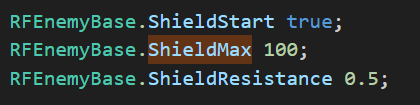
To give shields to an enemy you have to first set what the max shield value will be with the ShieldMax Actor Property. If you want the enemy to start with a shield you then have to set the ShieldStart Actor Property to True. You can then tweak the shield’s different resistances using ShieldResistance and [DamageType]_ShieldResistance Actor Properties.
You can also setup shields to recharge after the enemy hasn’t been damaged for an amount of time. To enable this all you have to do is set the ShieldRecharge Actor Property to True. After this you can change the delay in tics, amount of shield to recharge, and the Rate in tics at which the shield recharges with the following Actor Properties:
ShieldRechargeDelay
ShieldRechargeAmount
ShieldRechargeRate
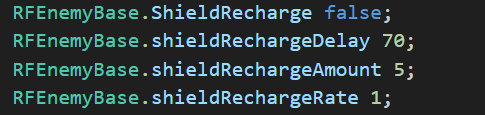
ShieldRechargeRate of 1 is every tic, a value of 2 would be every other tic, a value of 3 would be every third tic and so on
You can also set a specific state to jump to when the enemy takes damage from a specific damage type. All you have to do to set this up is to use the [DamageType]_ShieldState Actor Property! Lines 2498-2533
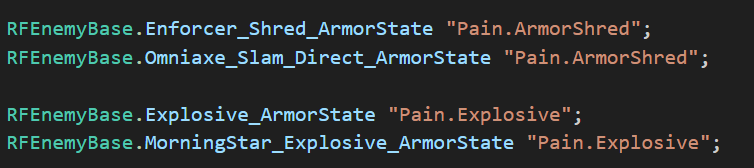
The use case is the same as above just replace ArmorState with ShieldState
You can also fully customize how the state change works by modifying the virtual function ShieldStateChange( ). Lines 677-919
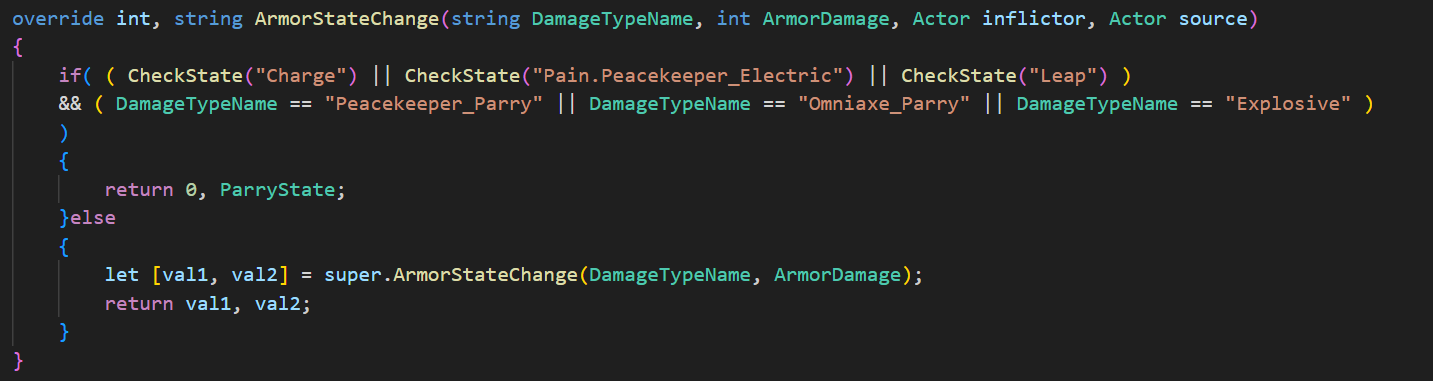
Excerpt from Line 58 of Guardian.zsc. ShieldStateChange( ) is the exact same function just for shields instead of armor
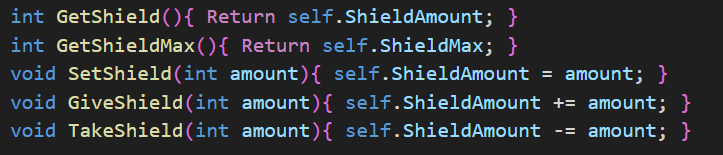
Useful Functions
GetShield( )
GetShieldMax( )
SetShield( )
GiveShield( )
TakeShield( )
You can use the GiveShieldAbility( ) Function to replenish the shields of all nearby enemies. With this function you can set how much shield to give, the distance from the actor using the function, which specific class to give shields to, and if the actor needs line of sight.
This would replenish 5 shield to all nearby convergence enemies without needing line of sight:
FIRE A 1 GiveShieldAbility(5, 100, Convergence_Base, false);
Loop: